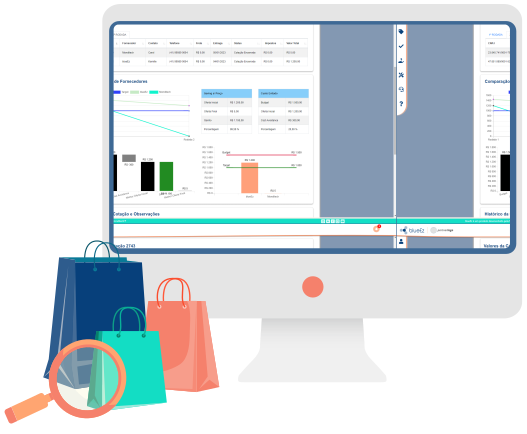
Purchasing and quotation system for companies
From request to purchase order: quotations, proposal comparison and approved suppliers in the same flow.
Quotations in email, spreadsheets and messages scatter the history, make comparison subjective and slow down the purchasing team's response.
- Quotations and negotiation rounds in one place
- Comparison map, with target price and budget visible to the buyer
- Approved supplier with chat and history on the platform
- The approver sees suppliers, prices and the same charts as the buyer
Centralize quotations in one flow
The quotation leaves email and spreadsheets. Rounds, status and the conversation with the supplier stay in the same process.

Negotiation rounds
You can request several quotation rounds with suppliers until the proposal fits the business.

Requisition grouping
Identical items requested by different people can be grouped, which allows buying in larger quantities.
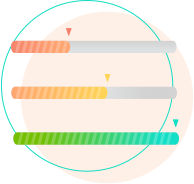
Status and tracking
Status shows where purchase requests stand and how suppliers have responded.

Chat with the supplier
The conversation with approved suppliers about the open quotation stays on the platform, with a history of the exchange.
Compare proposals with the same criteria
The comparison map brings each supplier's prices together so the decision does not rely only on memory of the negotiation.
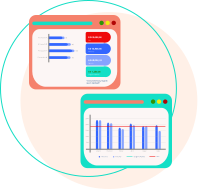
Comparison map
Shows each supplier's prices for the purchase order, with a graphical comparison of proposals.
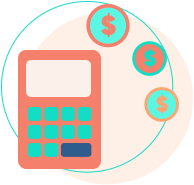
Target price and budget
The buyer sees how much can be spent (budget) and the target price. The buyer or the requester can set the target.

Negotiation history
The history of movement and contact with the supplier is recorded on the quotation.

Choice with a justification
The buyer can choose a higher price, as long as a justification is recorded.
Manage suppliers inside the purchasing process
Qualification, registration and the conversation with the supplier happen inside the quotation flow.
Configurable qualification
Fields, documents and control tables follow the company's process. The relevant areas assess whether the supplier is fit to supply.

Supplier access
The supplier receives a link to answer the quotation, send quotes and follow purchase orders on the platform.
Supplier and buyer evaluation
Requesters can evaluate the buyer and the supplier. The platform includes a dashboard for that evaluation.
Approvals and workflows tied to the quotation
The approver sees the quotation process. Authority levels live in the Approvals module.
Full view for the approver
The approver sees suppliers, prices and the same graphical views as the buyer.
Technical approval
For purchases that need technical details checked by another colleague or manager.
Authority levels and approval flows are in the Approvals module.
Less rework between request, quotation and order
Import, attachments and process fields cut the back-and-forth between requester, buyer and supplier.

Spreadsheet import
A CSV upload brings items and cost centers into the request in a few clicks.

Attachments and invoices
Requester, suppliers and buyers send and open attachments on the platform. The invoice can also be attached at receipt.

Fields for the company's process
The request accepts custom information, according to the business rule.
Identical items in the same quotation
Requests for the same item, from different warehouses, can become one quotation. The supplier sees the destination warehouses to quote freight.
Operational control and ERP integration
Savings, SLA and purchasing-health dashboards show bottlenecks. The standard integration syncs items, suppliers and invoices, and blueEz creates requests, orders and measurements in the ERP. The platform also works without an ERP.
Savings, SLA and health dashboards
There is a view of savings by period and against the target, SLA from requisition to quotation or for the whole process, and a funnel of the purchasing area.

Order, receipt and invoice
The order organizes quotations by supplier and destination. Receipt validates the material and the invoice stays attached to the process, with status updates for the supplier.

ERP integration
The standard sync covers items, suppliers and invoices. blueEz also creates the request, the order, the measurement, the document and the invoice in the ERP.
Want to see this flow in your operation?
The demo walks through request, quotation, comparison, approval and purchase order.
Indicators and who already uses the platform
blueEz platform indicators, already published on the site. They are not a result guarantee for every company.
Companies that use blueEz





















What clients say
Superintendent of Risks and Contracts
Details of the purchasing and quotations module
Discover the features of quotation

More about the purchase request
Details of supplier qualification
Learn more about the requisition
More about the purchase order
Discover the dashboards and reports
Details about receipt
Frequently asked questions about purchasing and quotations
What is a purchasing and quotation system for companies?

It is the flow that brings together request, quotation, proposal comparison, purchase order and receipt. In blueEz, that flow is the purchasing and quotations module.
Does blueEz replace email and spreadsheets in quotation?
The quotation, negotiation rounds, attachments and chat with the supplier stay on the platform. The history no longer depends on loose email, spreadsheets and messages.
Can I compare proposals from several suppliers?
Yes. The comparison map shows each supplier's prices. There is also a graphical comparison and control of target price and budget.
How does supplier management work on the platform?
The supplier registers through a link, goes through configurable qualification — fields, documents and review by the relevant areas — and answers the quotation from their own access. Suppliers are part of the standard sync with the ERP, together with items and invoices.
Does the approver see the quotation before deciding?
Yes. The approver sees suppliers, prices and the same graphical views as the buyer. Purchases that need a technical check can follow a technical approval flow. Authority levels stay in the Approvals module.
Does the platform integrate with the ERP the company already uses?
It works without an ERP. With integration, it syncs items, suppliers and invoices, and creates requests, orders, contract measurements, documents and invoices in the ERP. Other integrations depend on the enabled modules.
Can I run several negotiation rounds?
Yes. The quotation can have rounds with suppliers until the proposal fits the business, with a history of each round.
Can I use only the purchasing module?
Yes. You can start with the purchasing and quotations module. Recurring contracts stay in contract management, and authority levels in the Approvals module.
How do I request a demo?
Use the Request a demo button on this page. The commercial team gets in touch to show the flow from request to purchase order.
Continue after the quotation
Questions about how the purchases and quotations module works?
Now you can check out how blueEz modules work on our YouTube channel!
Follow the purchasing flow
Request a demo
Tell us about your purchasing operation. The commercial team shows the flow from request to purchase order.